
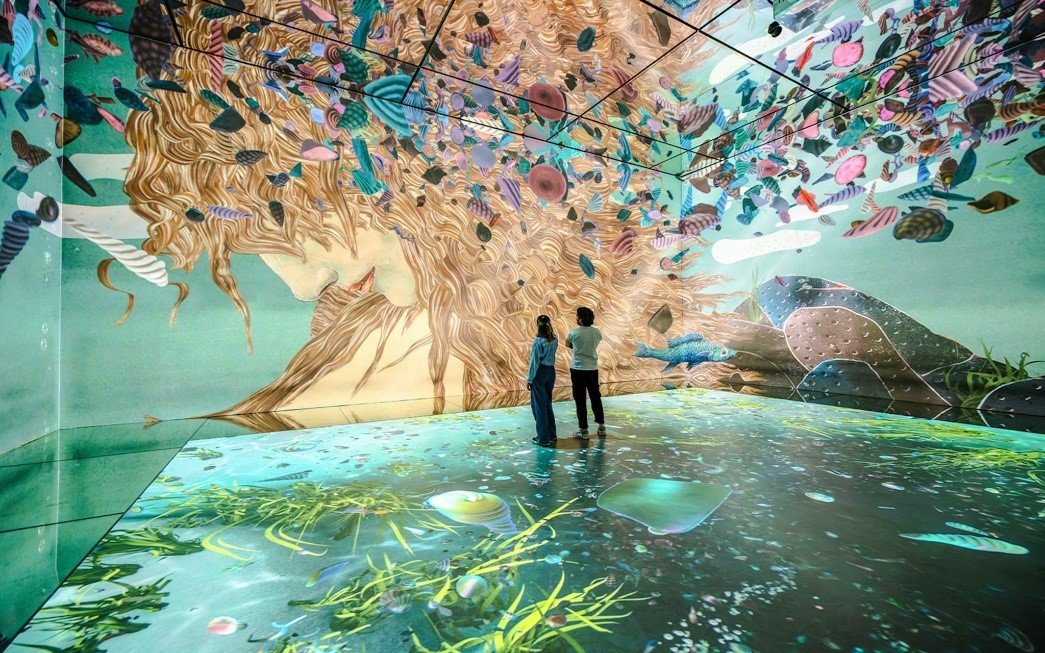
Immersive rooms are changing how people experience entertainment, education, art, and live events. Instead of watching content on a single screen, visitors can find themselves surrounded by moving images across walls, floors, ceilings, and curved surfaces. Creating this effect often requires several projectors working together as one coordinated display.
The challenge is making all those separate images look like a single, continuous picture. This is where projector warping and blending software becomes essential. Technologies help simplify projector alignment and image calibration, supporting seamless visual experiences in complex installations.
1. Why Immersive Rooms Need Multiple Projectors
A single projector has physical limitations. It may not provide enough brightness, resolution, or coverage for a large room or an unusually shaped display surface.
Multiple projectors solve this problem by dividing the visual space into sections. One projector might cover the front wall, another the side wall, and additional units may handle the ceiling or floor.
When coordinated correctly, these individual outputs create one large visual environment. Visitors can move through the space without feeling as though they are looking at separate screens.
2. Correcting Image Distortion with Warping
Projectors are not always positioned directly in front of flat screens. In immersive installations, they may be mounted at different angles or aimed at curved and irregular surfaces.
This positioning can distort the projected image. Straight lines may appear bent, and images may look stretched or misaligned.
Warping technology corrects these distortions by adjusting the image geometry. It reshapes the projected content so that it fits the intended display surface.
This process is particularly important when projecting onto architectural features, curved screens, domes, or unconventional exhibition spaces.
3. Removing Visible Seams Through Edge Blending
When two projectors display images next to each other, their overlapping areas can create visible brightness differences or distracting boundaries.
Edge blending addresses this issue by gradually adjusting brightness across overlapping sections. Instead of showing a noticeable line where two images meet, the software creates a smoother transition.
Proper blending makes the combined image appear continuous, even though several separate projectors are producing it.
Color matching and brightness calibration are also important because differences between projectors can otherwise make the installation look uneven.
4. Making Projector Alignment More Accurate
Setting up a multi-projector installation involves more than mounting equipment and connecting cables. Each projector must be positioned and calibrated carefully.
Even small alignment errors can become obvious across a large display. A slightly misplaced image can disrupt the entire experience.
Automated alignment and calibration tools can help technicians identify inconsistencies and make corrections more efficiently. This reduces repetitive manual adjustments and makes complex installations easier to manage.
5. Supporting Different Immersive Applications
Multi-projector systems are used in museums, planetariums, simulation centers, entertainment venues, and corporate experience spaces.
A museum might use them to recreate historical environments, while a planetarium can surround visitors with astronomical imagery. Simulation facilities can use large combined displays to create realistic training environments.
Each application has different requirements, but the goal remains the same: deliver a convincing, uninterrupted visual experience.
Final Thoughts
Immersive rooms depend on more than powerful projectors. Their success comes from coordinating multiple devices so that every image fits together naturally.
Warping corrects geometry, blending removes distracting seams, and calibration helps maintain visual consistency. Together, these technologies turn separate projections into one seamless environment that audiences can experience from every direction.
